Project
About
Helping Teachers See Student Thinking in Digital Reading
Mandarin teachers had access to a digital library and weren't using it. I designed an annotation visibility system to close the gap between what teachers need to see and what the platform let them see.

hackathon result
Project Length
3 weeks, asynchronous
Project Type
Web app
Team Size
1 designer, 3 engineers, 3 business & presentation (7 total)
responsibilities
User Research · User Testing · Wireframes · Prototype
The hardest part of this hackathon wasn't the design.
It was the calls we made, and how we talked about them.
Problem
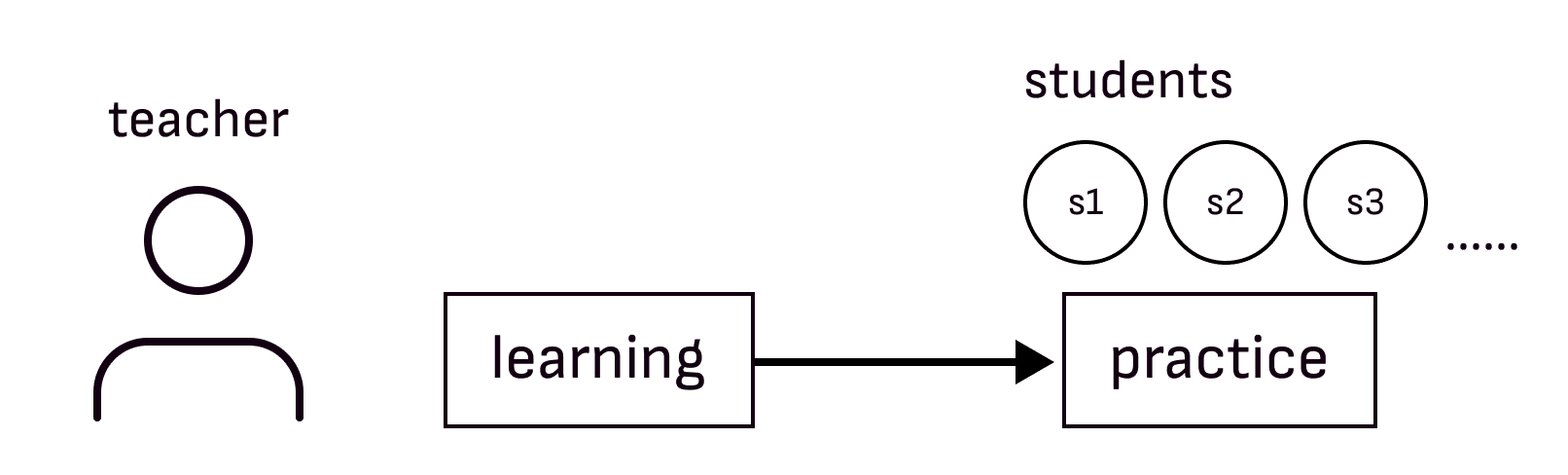
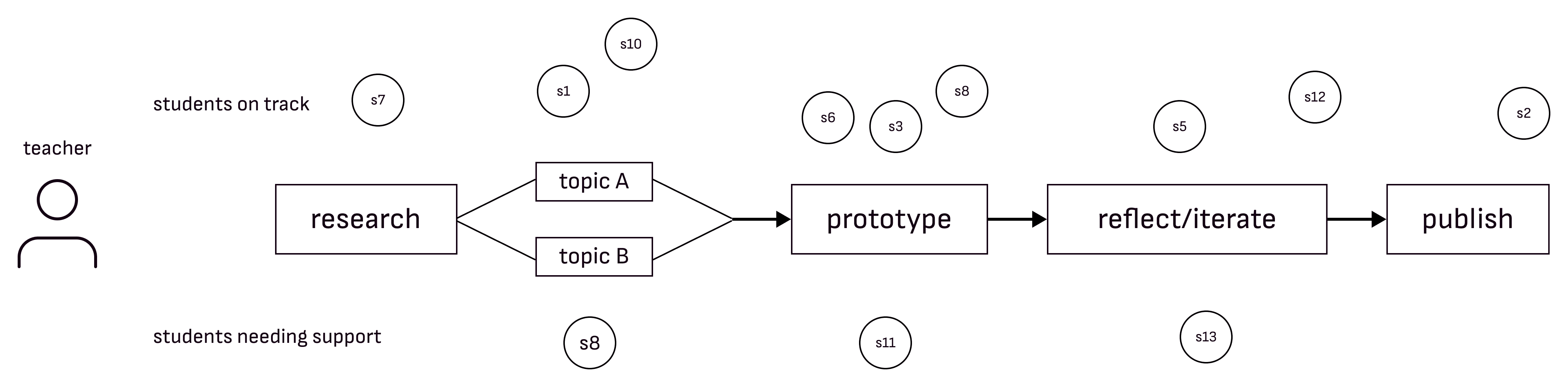
Mandarin teachers had access to a digital library but they weren't using it.
Level Learning is a K–12 literacy platform with a digital library of 1,000+ books. Mandarin teachers had access to it and weren't using it.
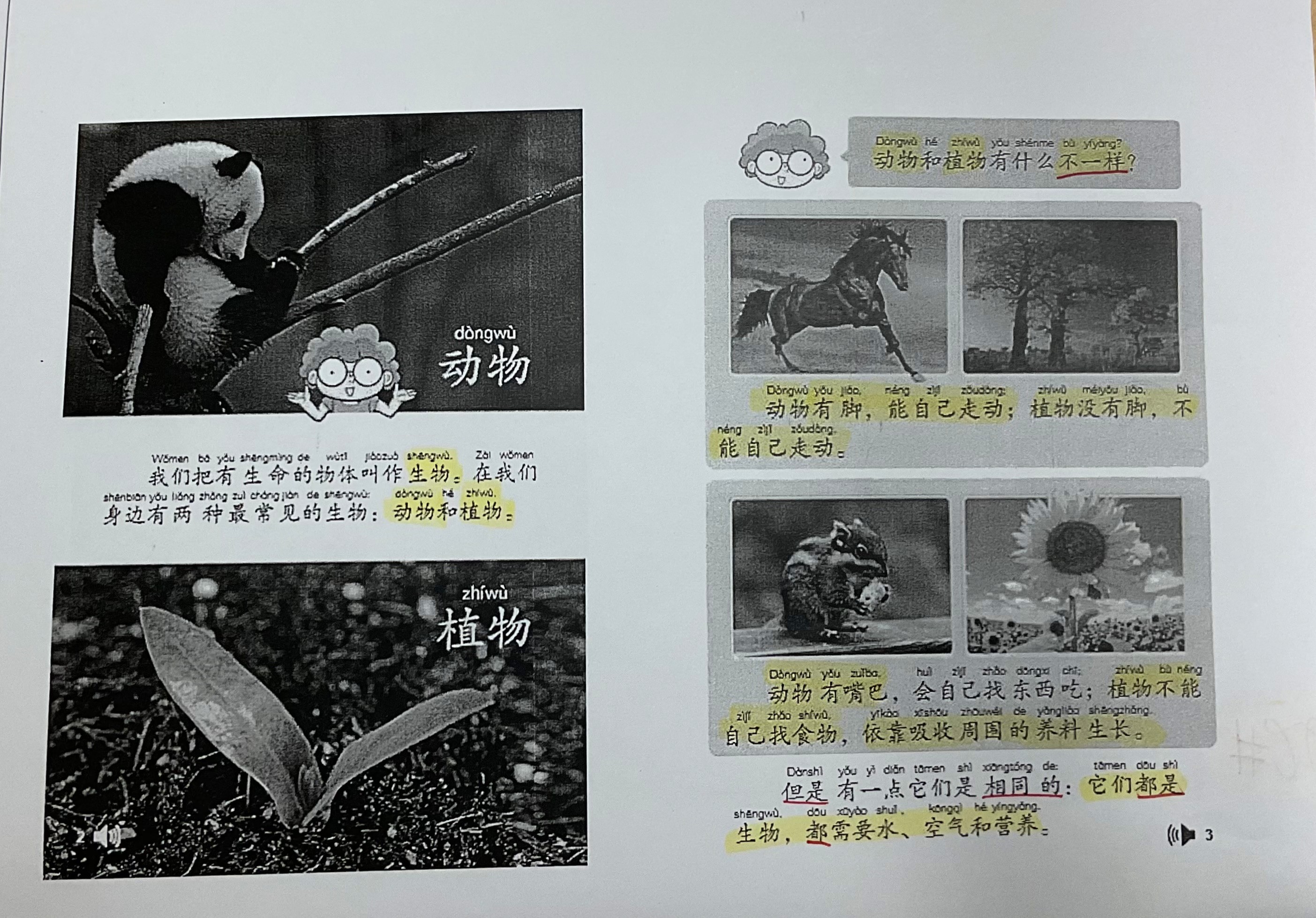
Physical books: teachers see student thinking with annotation
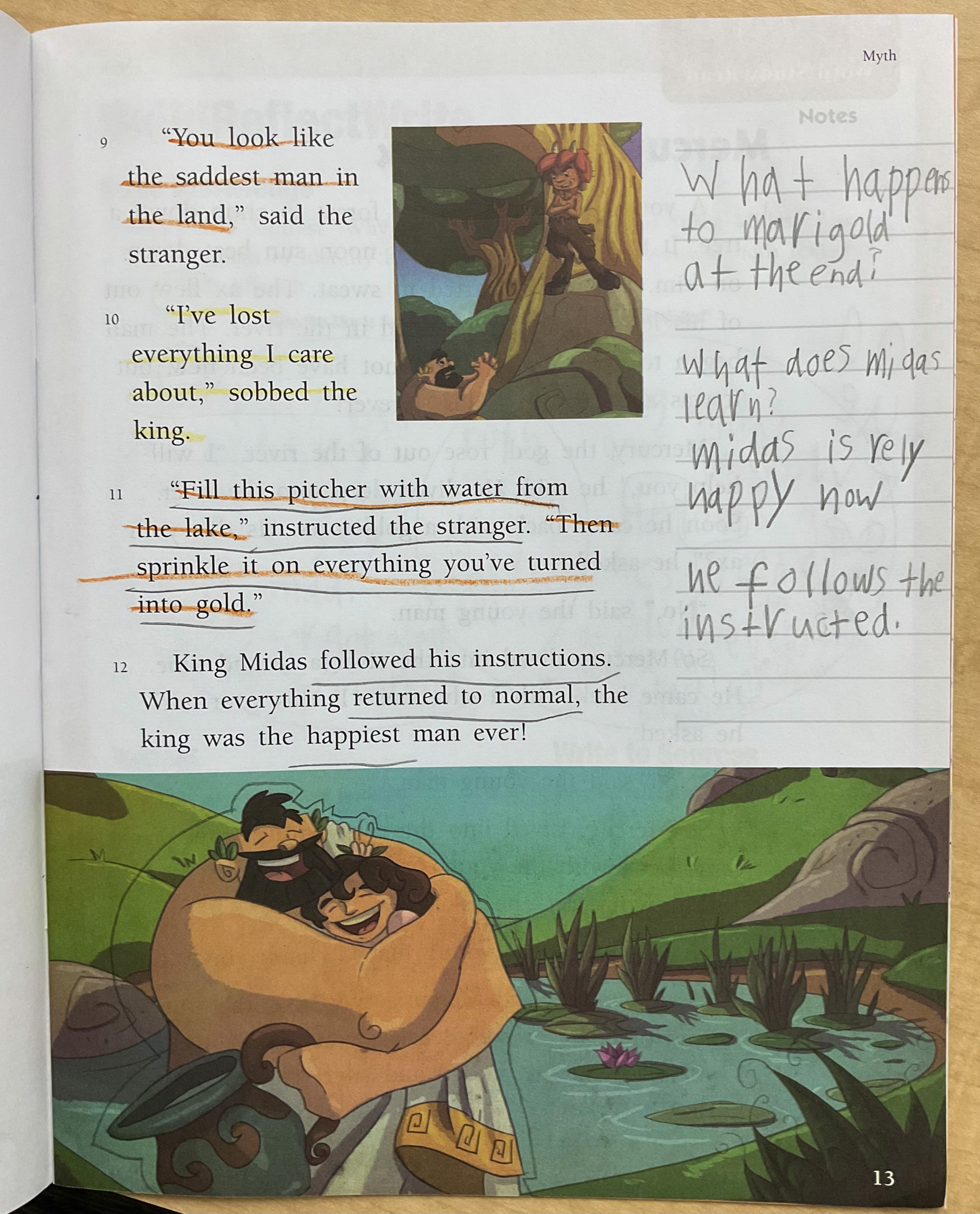
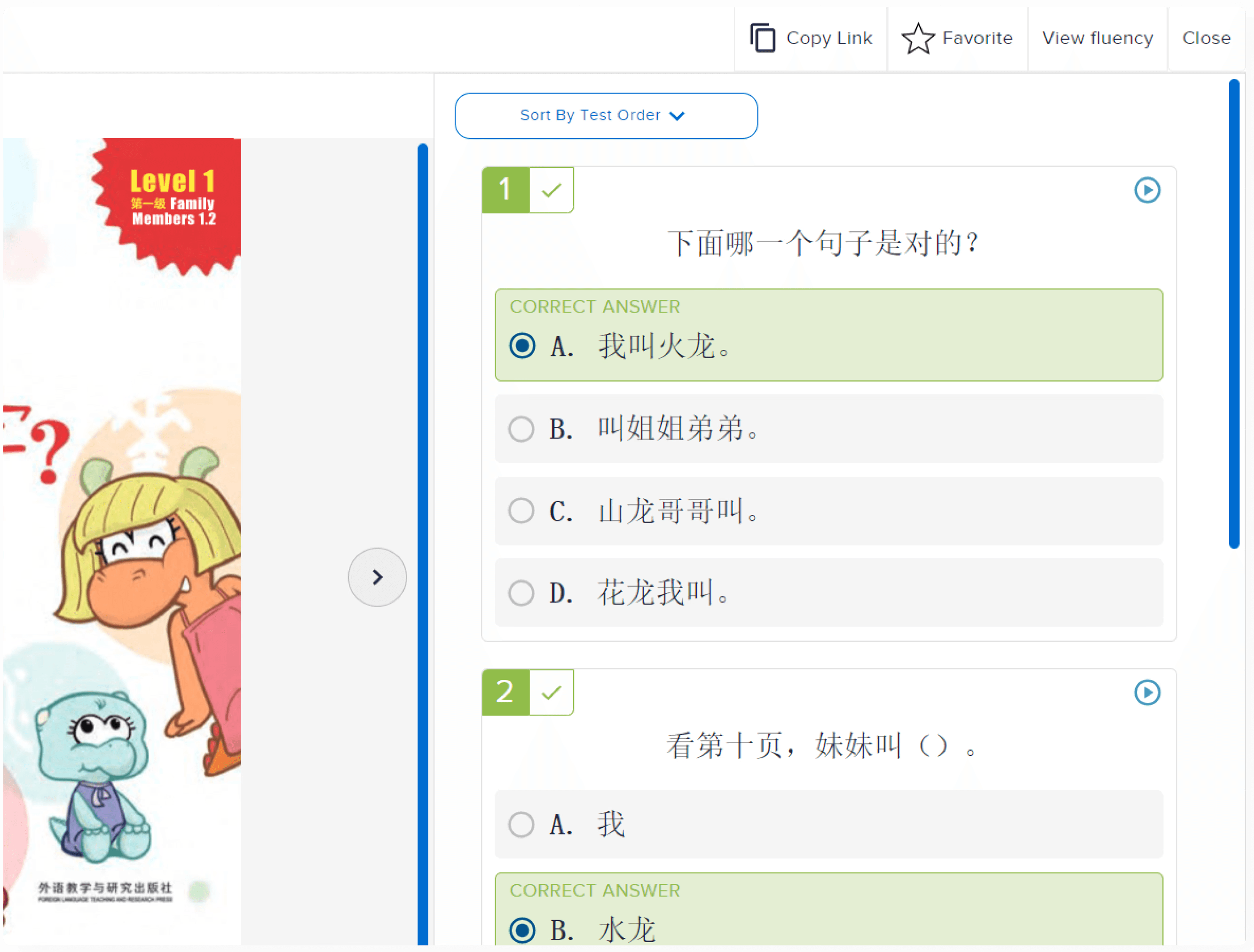
Current digital: teachers see only the end result
I suspected the platform was missing the tools teachers needed.
Research told me the problem ran deeper than that.
solution
For tracking progress
Real-Time learning visibility
Tracks student progress across all project stages.
New feature integrated into existing workflow

For reviewing student data
AI-powered work analysis
Automatically reviews artifacts and reflections to identify skill growth

For timely intervention
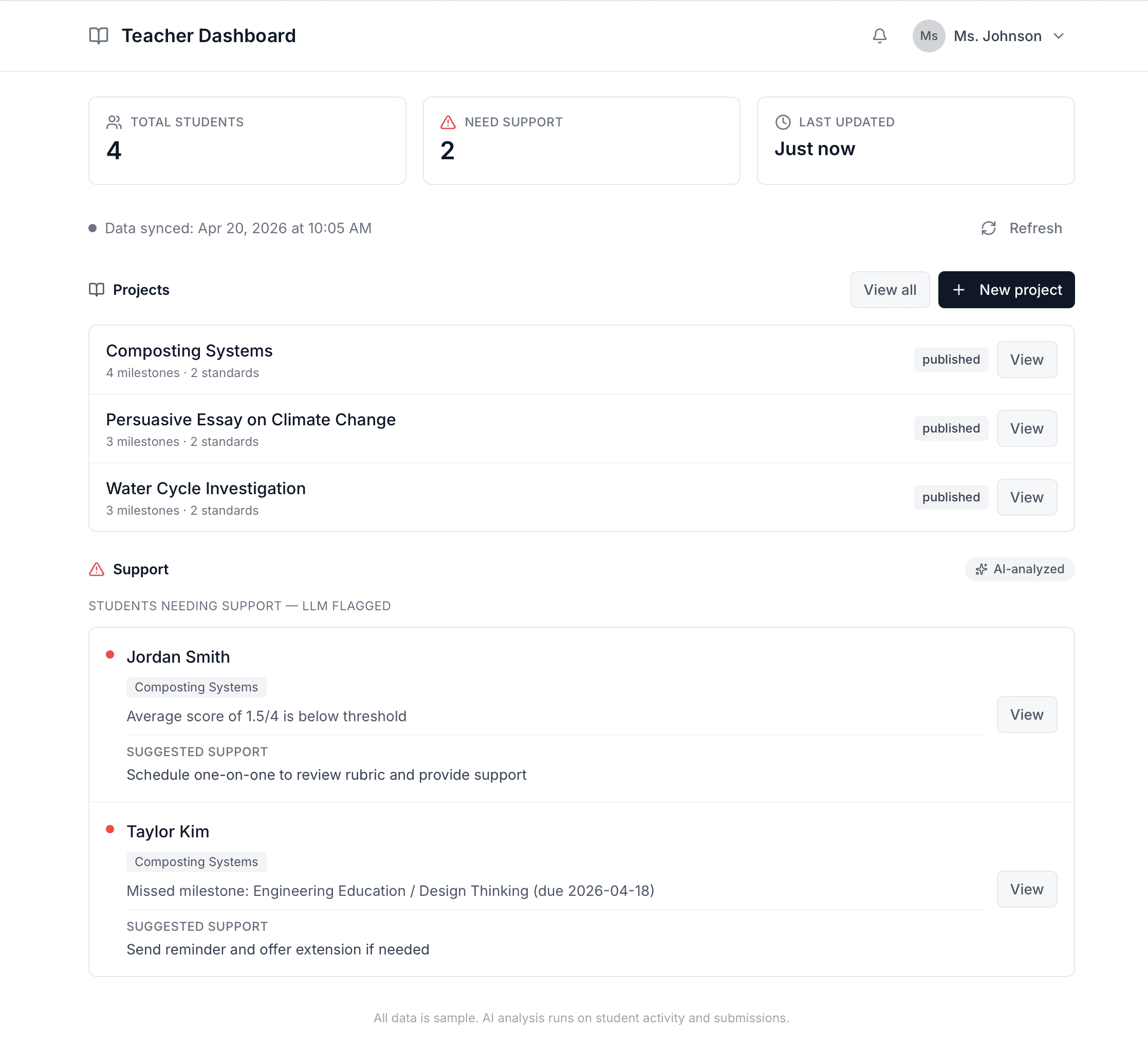
Teacher dashboard & alerts
See who's progressing, who needs help, and where to intervene in real time.
New feature integrated into existing workflow

Teachers can move through the book in sequence or jump directly to pages where students left annotations.

Icon = available annotations
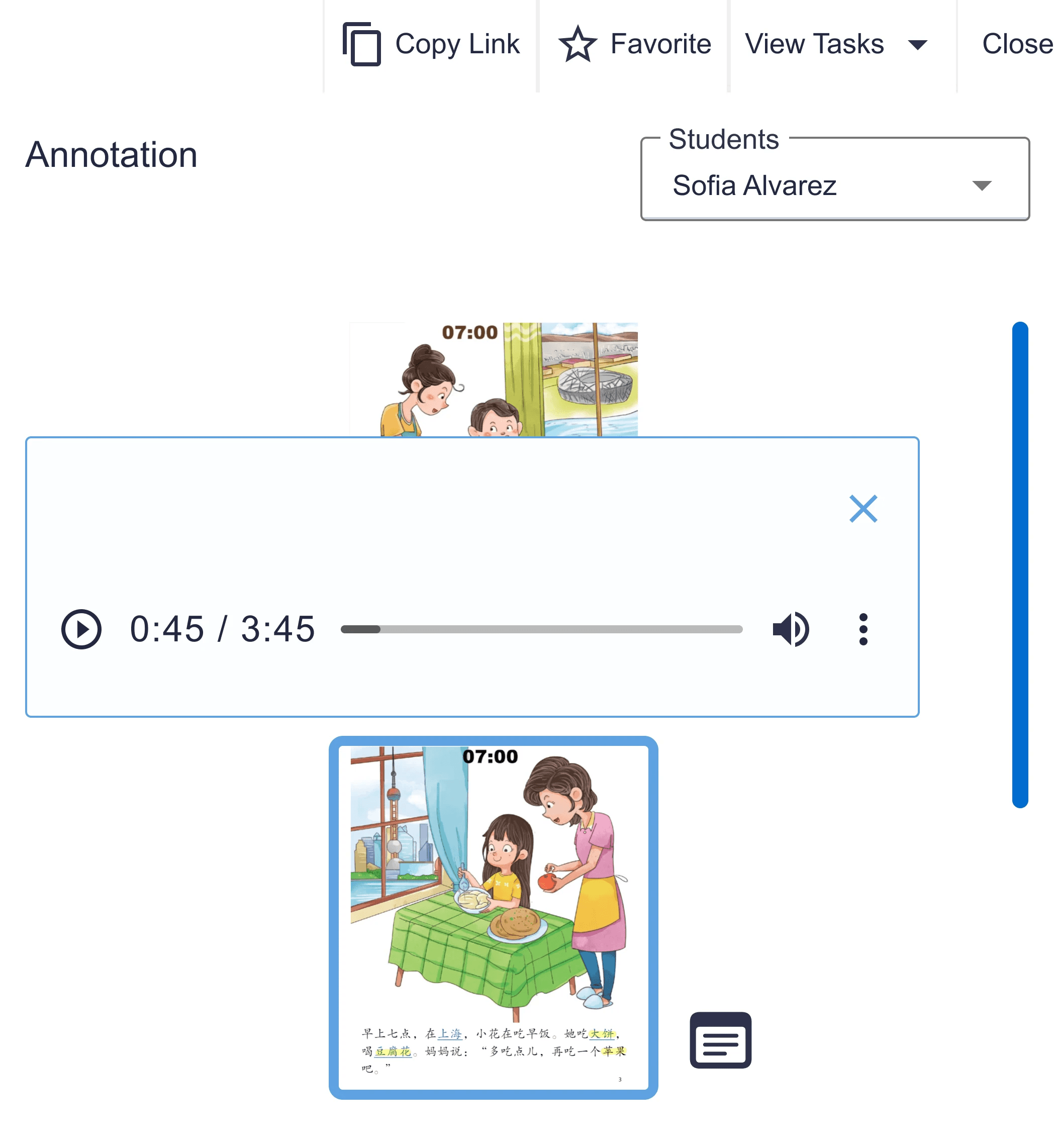
See annotated texts by hovering over voice or text annotation.
Learning Lens was built to provide teachers a tool that does it all.
Here's how we brought it to life.
research
I needed to dig deeper into why teachers weren't using the library.
Mandarin teachers were new to reading instruction. Without a baseline for what good looked like, I'd be designing against the wrong standard.
Interviewing the English teachers gave me that baseline.
"Having the annotation feature can help me understand what the students are thinking, and is easy for me to use it to show learning progress."
S. Zhang, 2nd grade Mandarin teacher · Supports: visibility into student thinking
Teachers shouldn't have to chase data.
We simplified the workflow so the data comes to them.
PRIORITIZATION
Teachers valued SEEING annotations over students CREATING them.
I had two possible directions. I chose to design annotation visibility for teachers first, because without it, giving students annotation tools wouldn't matter.
"Being able to annotate is good, but I won't be able to see what they highlight…it would only be helpful if I am able to see what they annotate.”
— K. Liu, 5th grade Mandarin teacher
"The annotations need to be checked by teachers, otherwise it just becomes a drawing tool, then it wouldn't be as helpful.”
— S. Dalton, 3rd grade Mandarin teacher
Neither feature is valuable without the other. They only work as a pair.
Students need tools to annotate. Teachers need to see those annotations. One without the other doesn't work.
key decisions
Reduce user friction
If a teacher has to go somewhere new to see student thinking, most of them won't go
Accessing annotation on where teacher currently have access to students' reading history
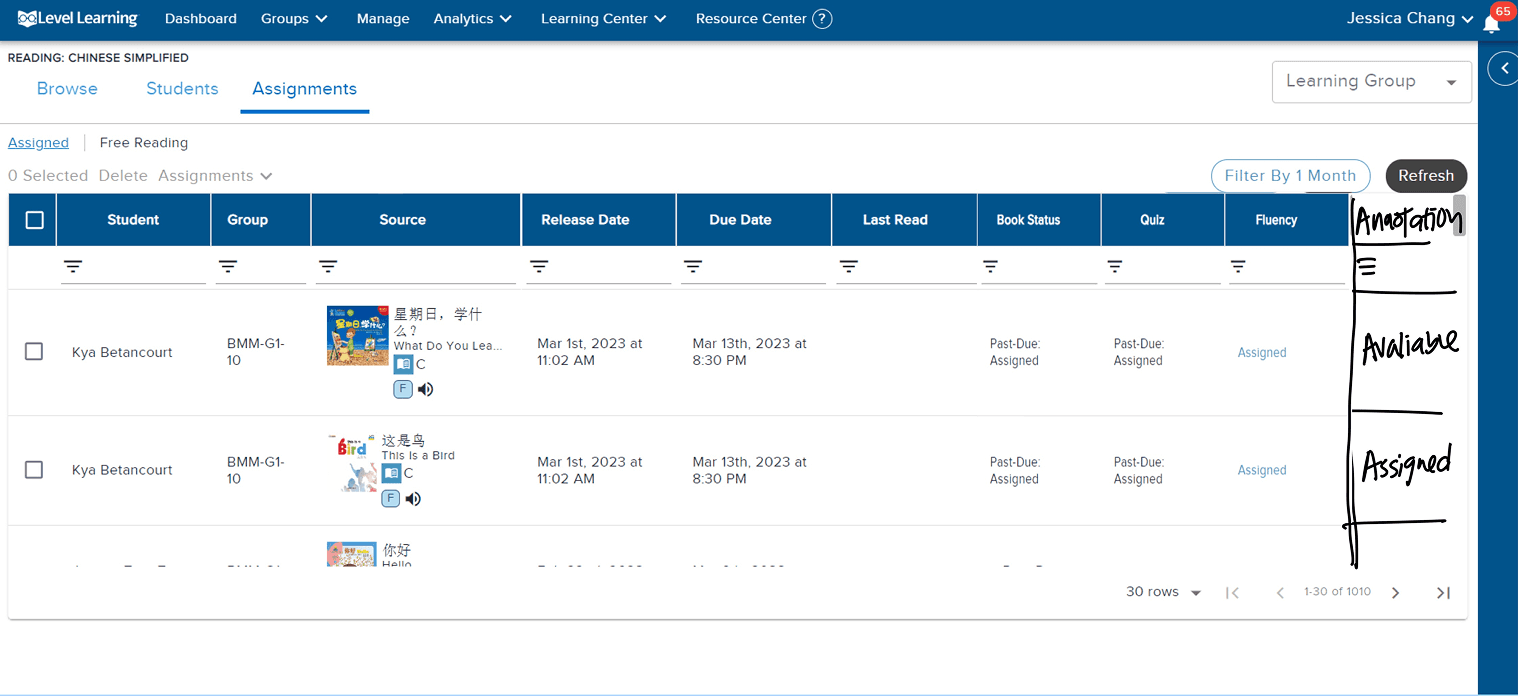
Adding annotation to the existing story page where teachers can currently view quiz results
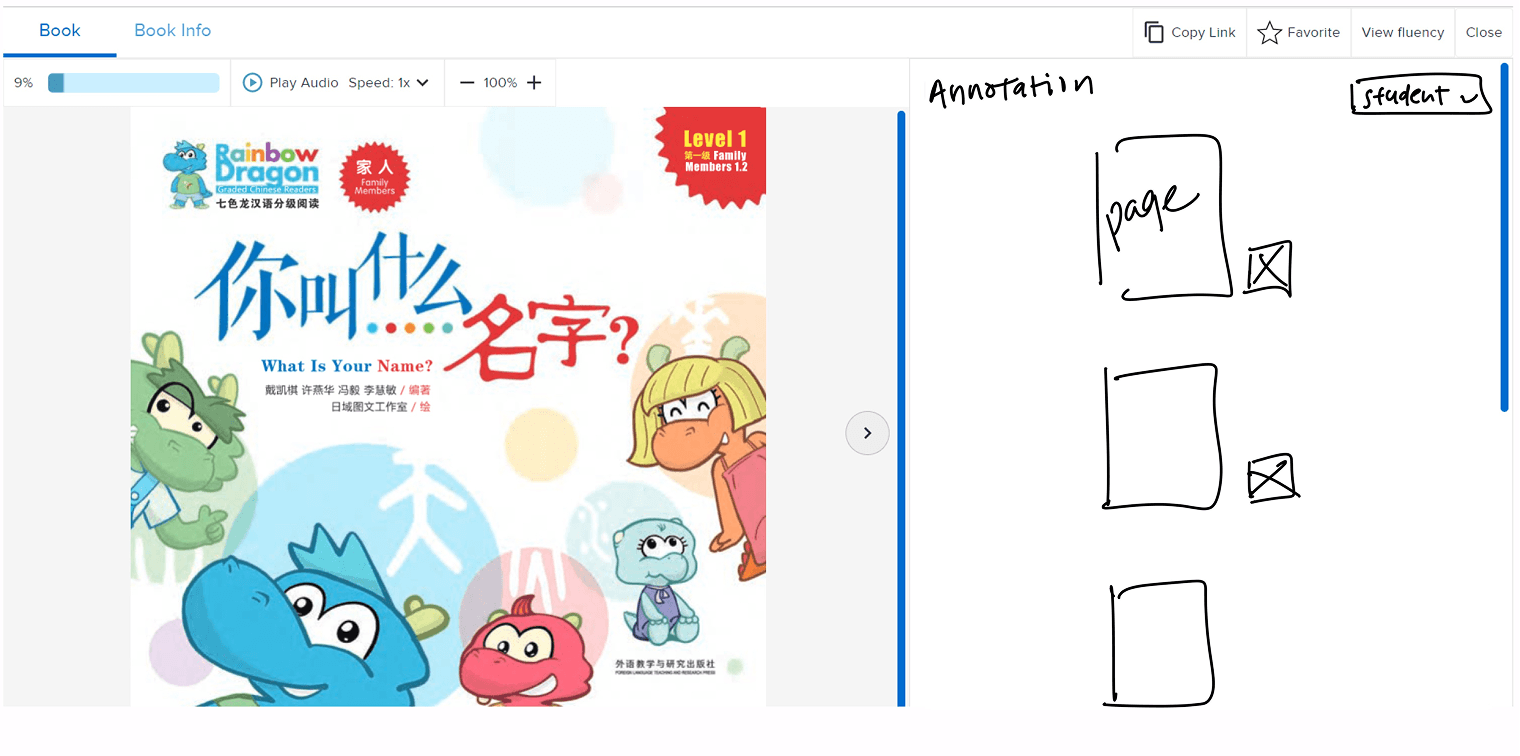
Rejected: Dedicated annotation pages
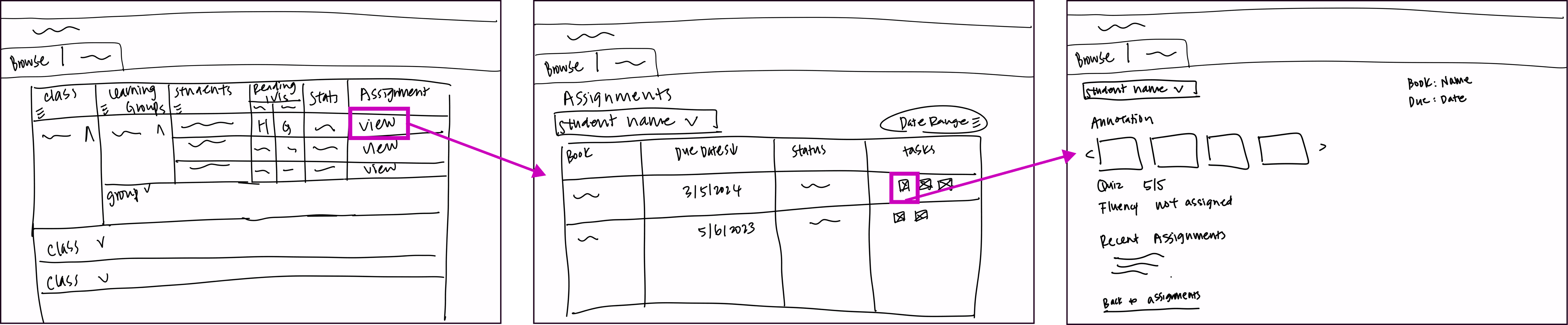
I chose the path with less friction to learn over the path with less friction to build.
Teachers were already avoiding the tool. A new destination meant one more reason to skip it.
Supporting Both Text and Audio Annotations
Text-only annotation would have excluded the students who needed this feature most.
"I like the option of voice and written memo. This will help my lower students who can't write in Chinese yet."
— A. Yao, Kindergarten Mandarin teacher
Voice Annotation
Text Annotation
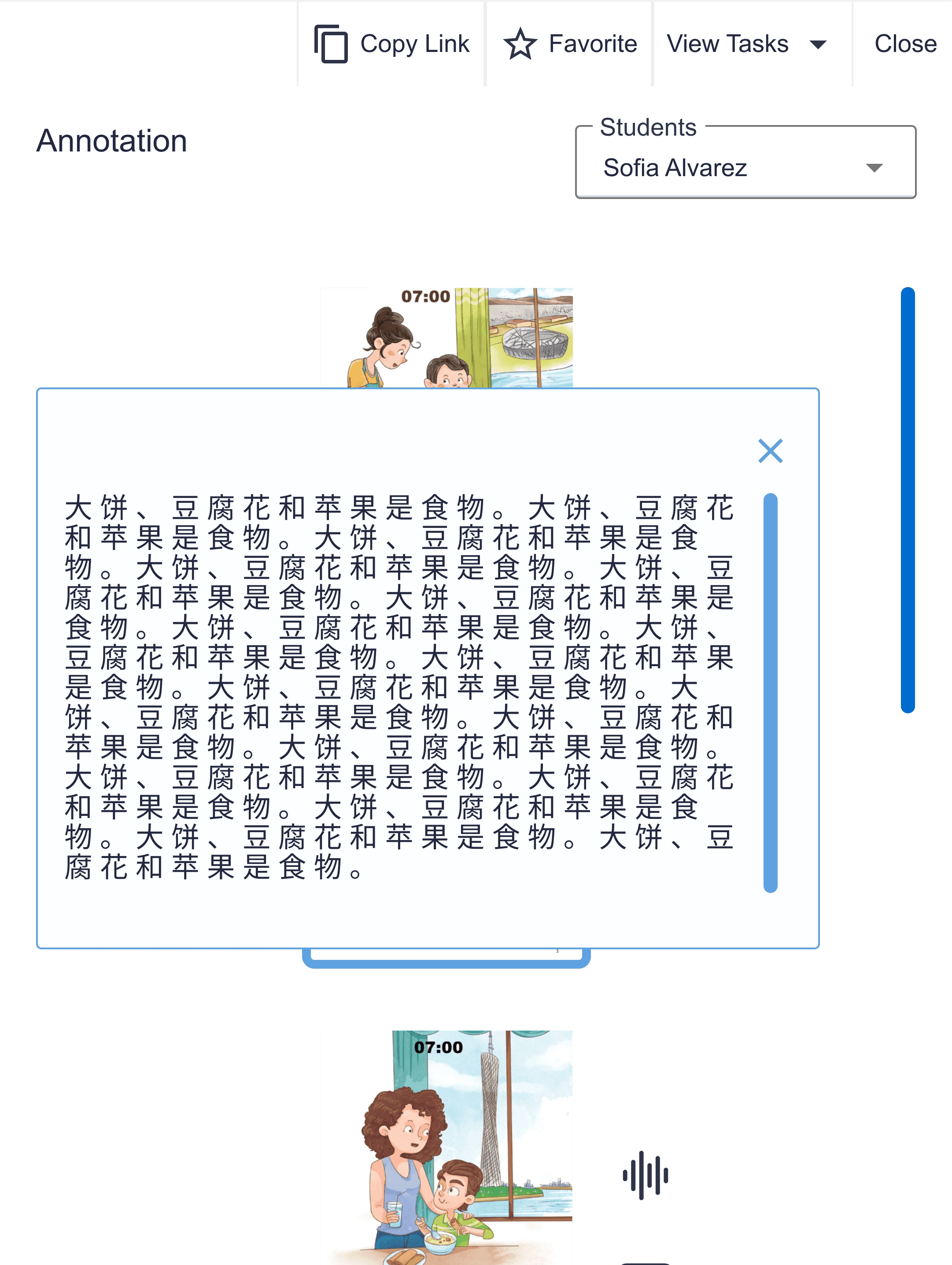
Younger students express thinking out loud before they can write it down in Chinese. Text-only would have failed the students who needed it most.
Adding audio annotation was an inclusion decision, not a scope expansion.
The project ended.
I learned a lot in the process.
reflection
Three weeks forced some tough calls. Here is what I'd do differently.
We validated with the team, not the users.
Given more time, talking to current teachers would be the first thing I'd change.
The scope was right, but it wasn't communicated clearly enough to the judges.
The judges suggested showcasing the teacher planning experience would have strengthened our presentation. Our scoping was intentional: teachers come in with their lessons planned, and our job was to solve what happens after. But we didn't communicate that assumption clearly enough to the panel. Next time I'd make that assumption explicit upfront, instead of leaving it for the judges to fill in.
Turns out, knowing how to make a decision and knowing how to explain it are two very different skills.
Most of the hard calls on this project weren't in Figma. I'd make most of them the same way again.