Project
About
Giving teachers back their time
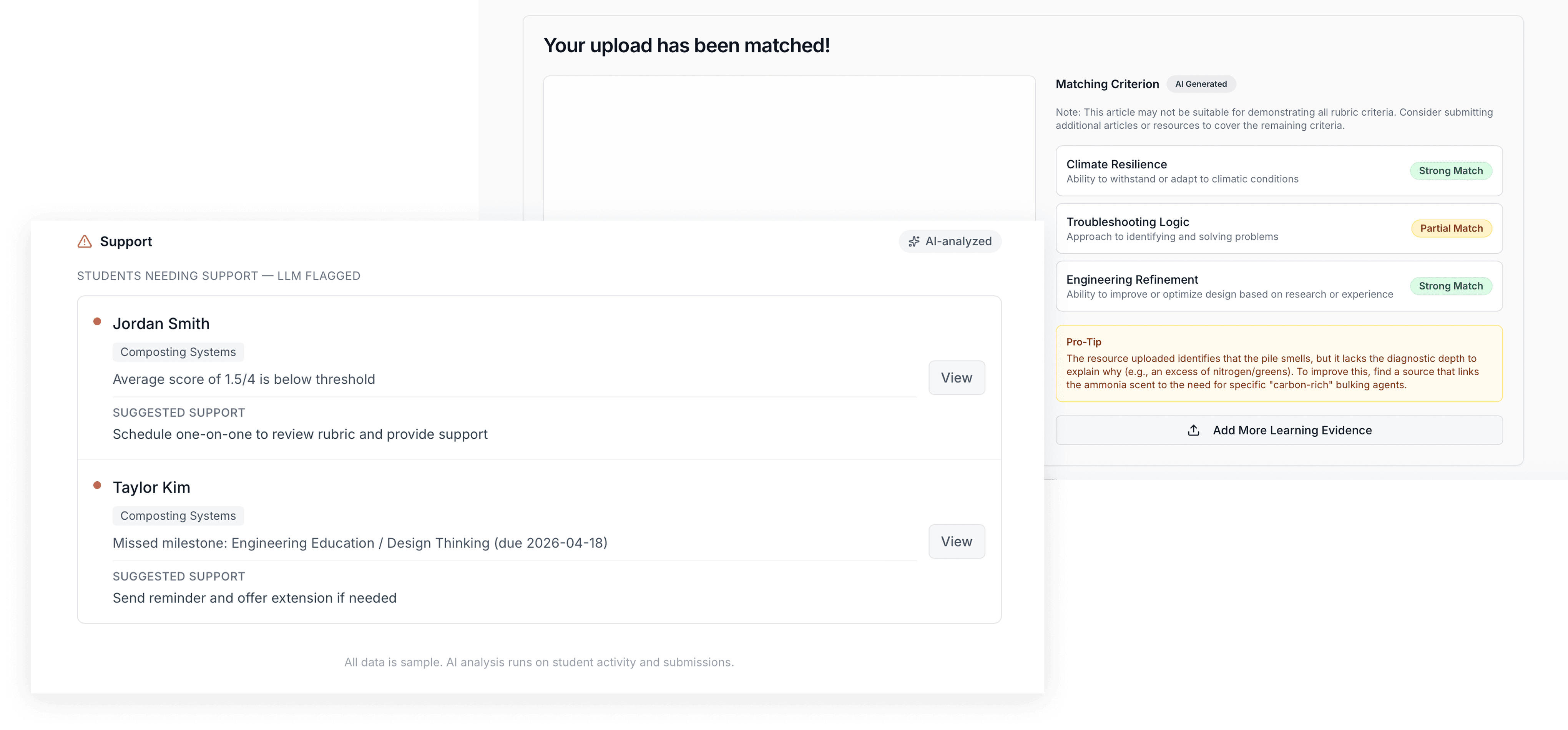
Learning Lens uses AI to automatically synthesize student data, giving teachers real-time visibility into every student's progress during Project Based Learning.
hackathon result
Project Length
3 weeks, asynchronous
Project Type
Web app
Team Size
1 designer, 3 engineers, 3 business & presentation (7 total)
My role
Product Designer · Design QA & Dev Collaboration
The hardest part of this hackathon wasn't the design.
It was the calls we made, and how we talked about them.
Problem
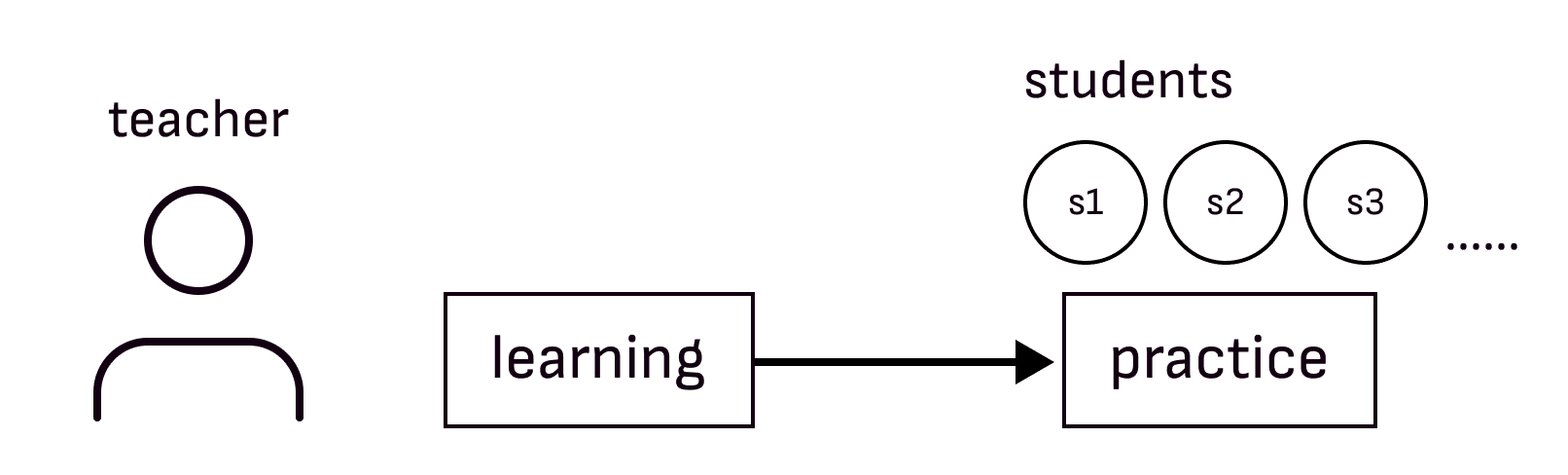
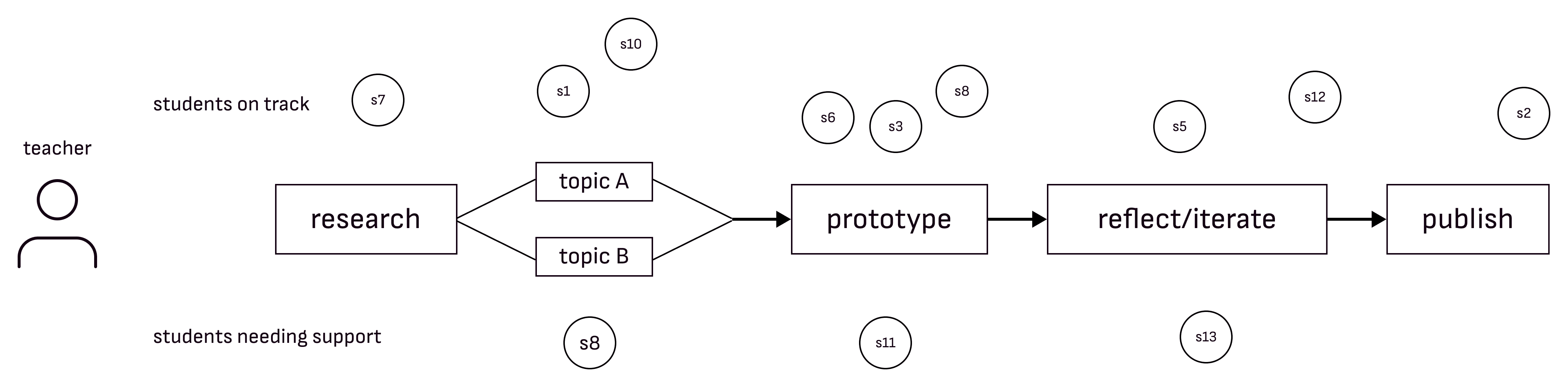
Most teachers abandon PBL not because they don't believe in it, but because the data overwhelms them.
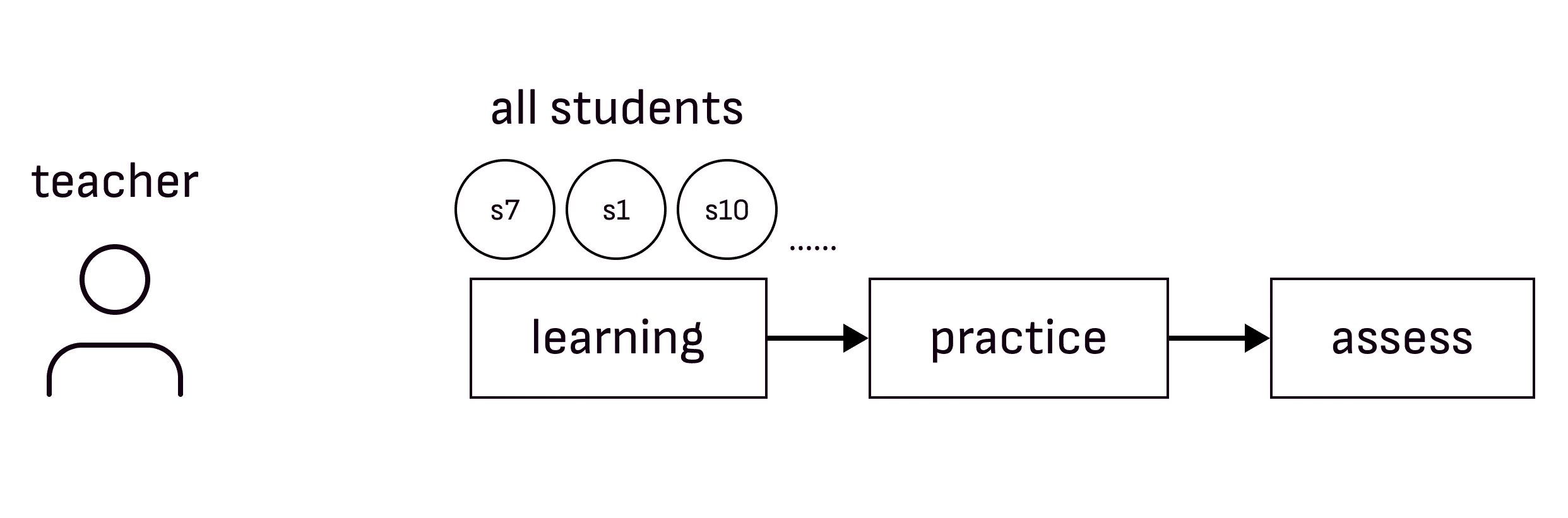
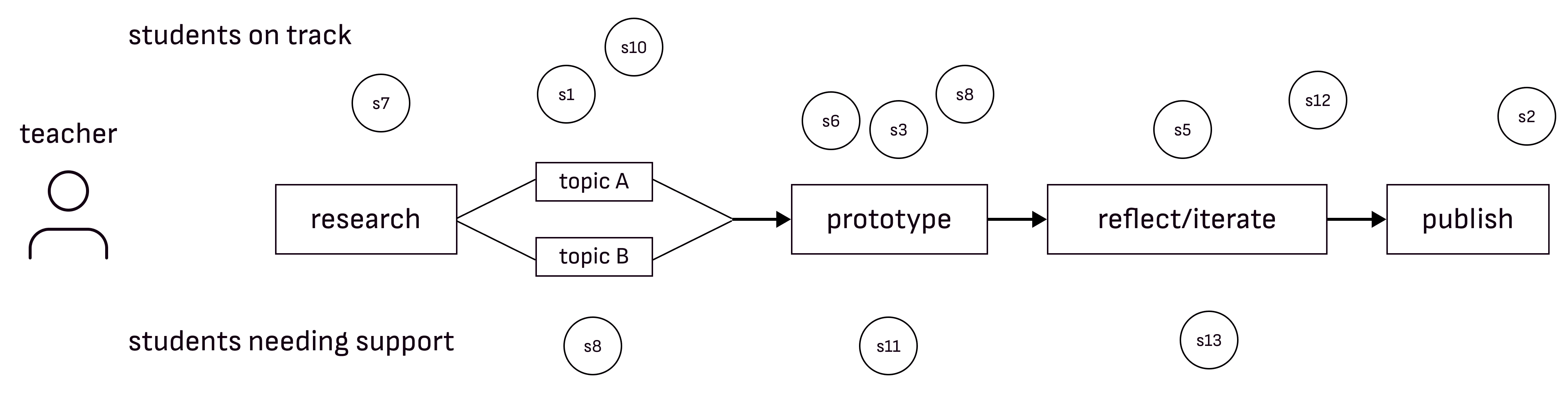
The hard part of PBL isn't the teaching. It's that every student is somewhere different, and there's no realistic way for one teacher to track all of it.
One path vs. every student on their own path
Solution
For tracking progress
Real-Time learning visibility
Tracks student progress across all project stages.
For reviewing student data
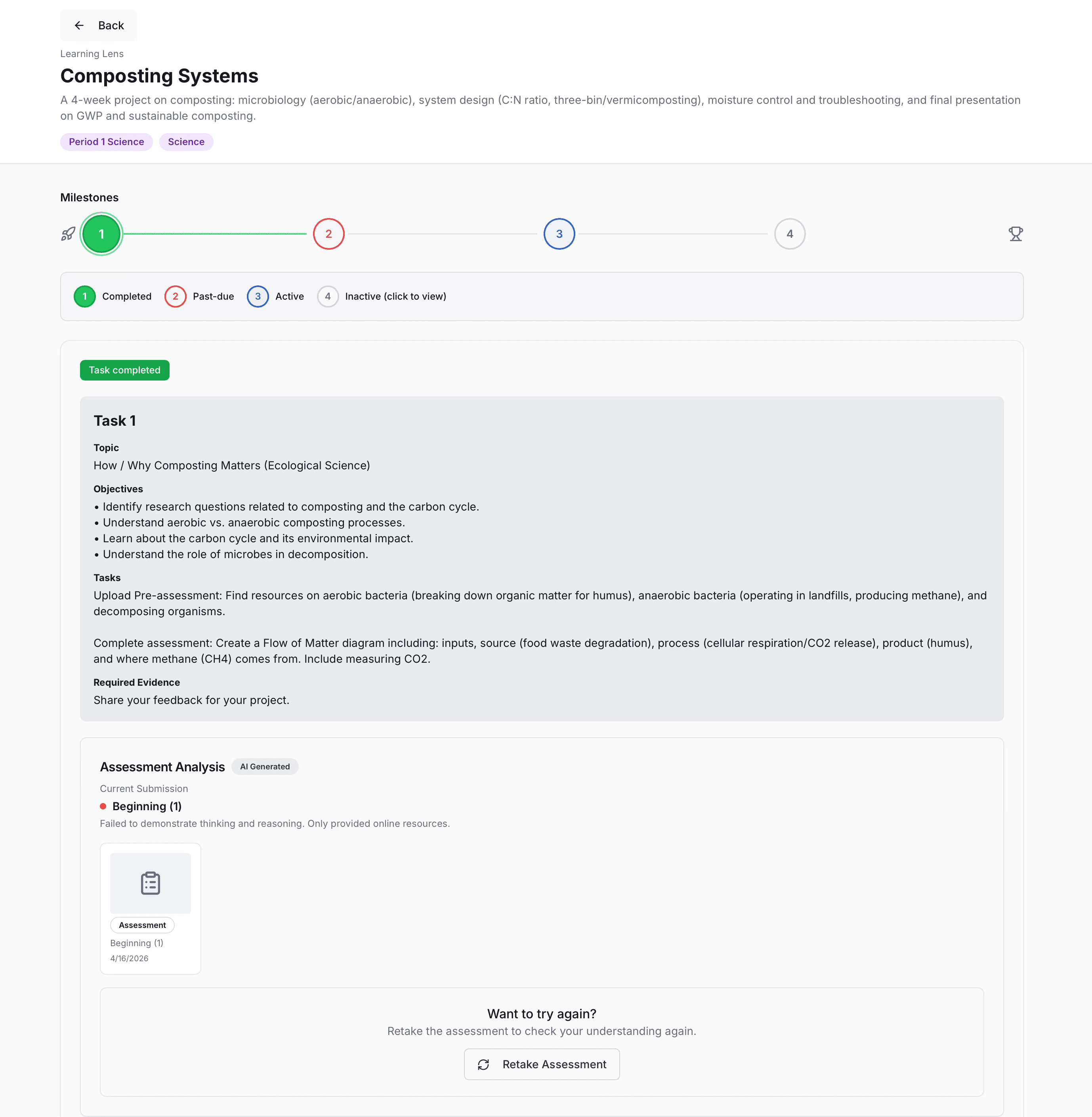
AI-powered work analysis
Automatically reviews artifacts and reflections to identify skill growth

For timely intervention
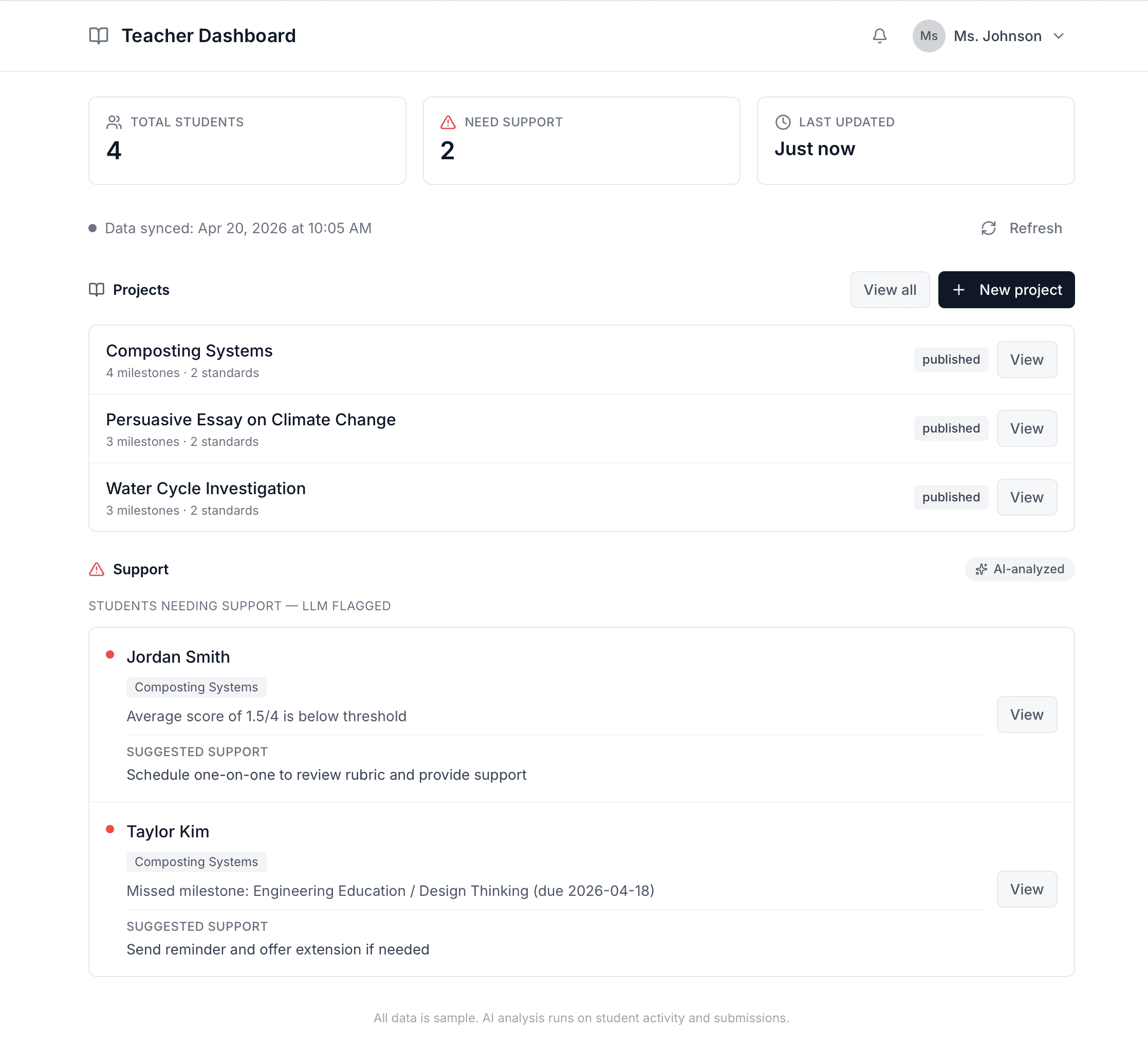
Teacher dashboard & alerts
See who's progressing, who needs help, and where to intervene in real time.
Learning Lens was built to provide teachers a tool that does it all.
Here's how we brought it to life.
Discovery & Focus
Teachers shouldn't have to chase data.
So we started by looking at what teachers were already doing.
Existing tools for teachers & Gaps
Category
Tools
Gap
AI Assistant
Magic School, Flint
Not applied to PBL student work specifically
Project Management
Google Classroom, Canvas, Schoology, Trello, Asana, Miro
Can't surface who needs help right now
Portfolio
Seesaw, Peergrade, Bulb
Captures work retrospectively, no real-time tracking
Where we focused
Once students start working, every kid is on a different path. There's no central place to track it, so teachers piece it together on their own. It adds up.
What we saved for later
Teachers come in with lessons planned. Pre-lesson prep is a future opportunity, not the urgent one.
The breakdown happens mid-project, once students start working and data becomes impossible to track manually.
Pre-lesson planning was out of scope, and intentionally so because solving both in three weeks wasn't realistic.
Teachers shouldn't have to chase data.
We simplified the workflow so the data comes to them.
user flow
Designing for two users at once: teachers and students
We designed the flow so student work is automatically analyzed by AI against the rubric, and the results surface to the teacher in real time.
Student and teacher flows showing how every student action triggers a teacher response.
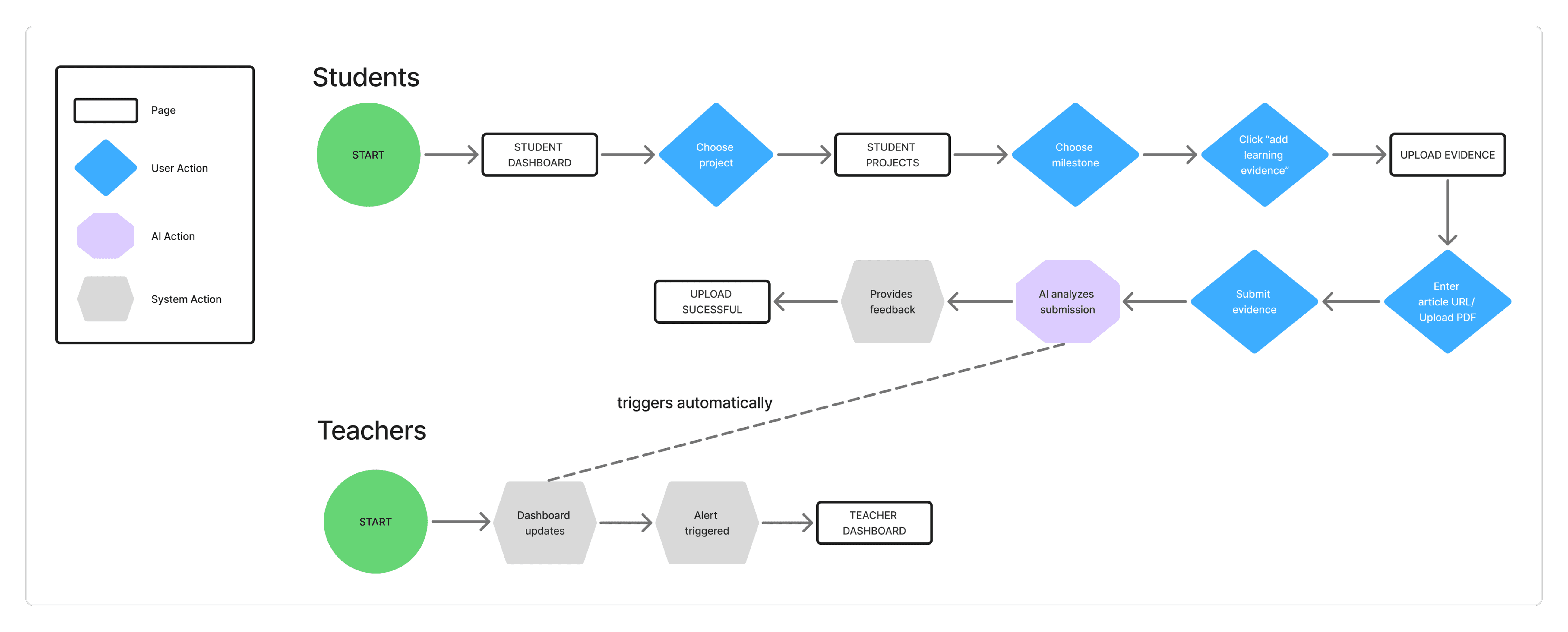
I made the result of student submission trigger dashboard updates.
If teachers have to pull the data, we haven't solved the problem.
Design process
Wireframes to handoff to QA
wireframes
PBL requires students to demonstrate learning differently at each stage.
Mid-fi screens mapping the student milestone flow and 4 checkpoint states
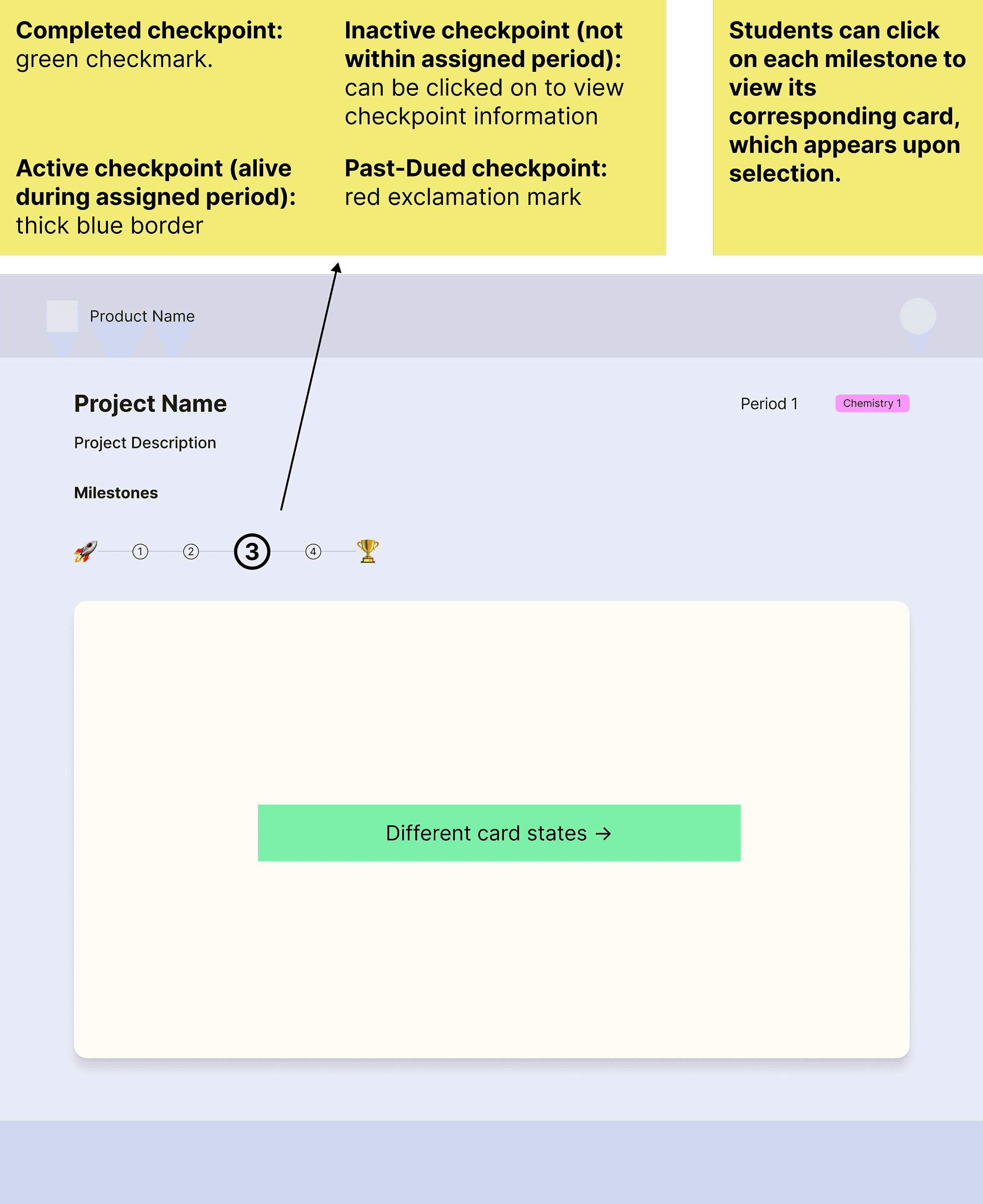
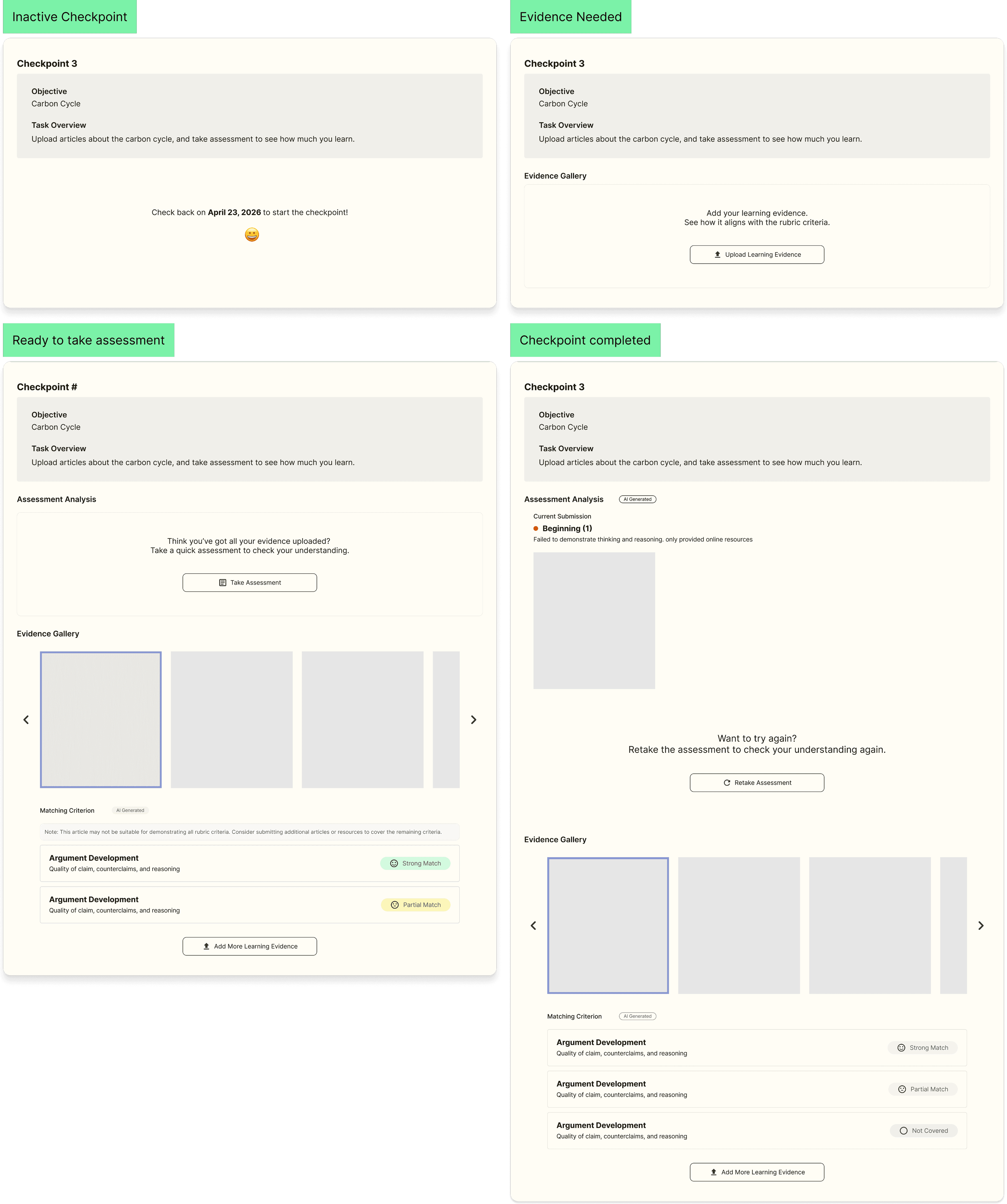
I made 4 checkpoint states so the student's next steps are clear without needing the teacher to repeat directions.
DESIGN QA
Because the UI was engineer-generated, QA was my main tool for protecting the design intent. I annotated priority fixes across multiple rounds.
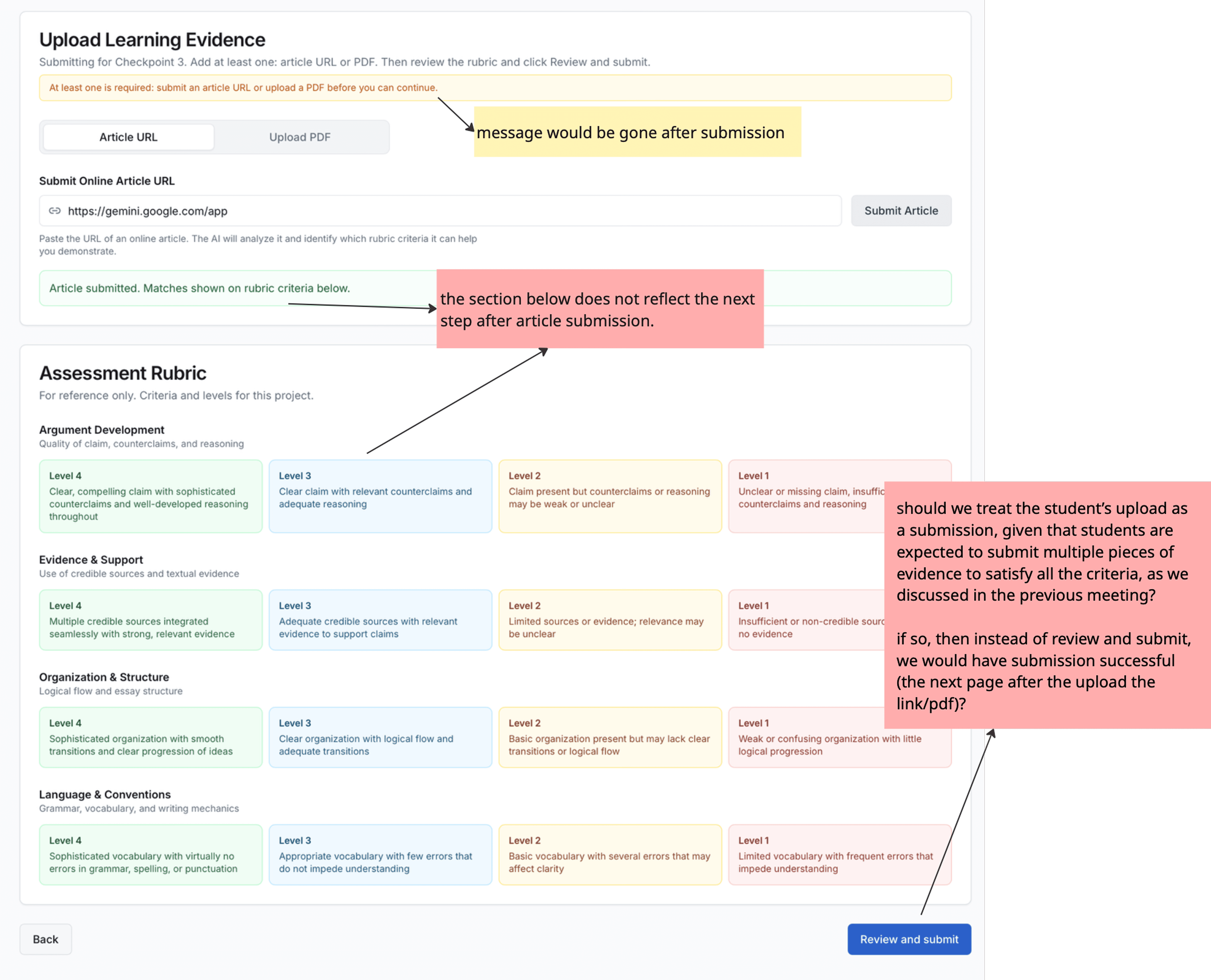
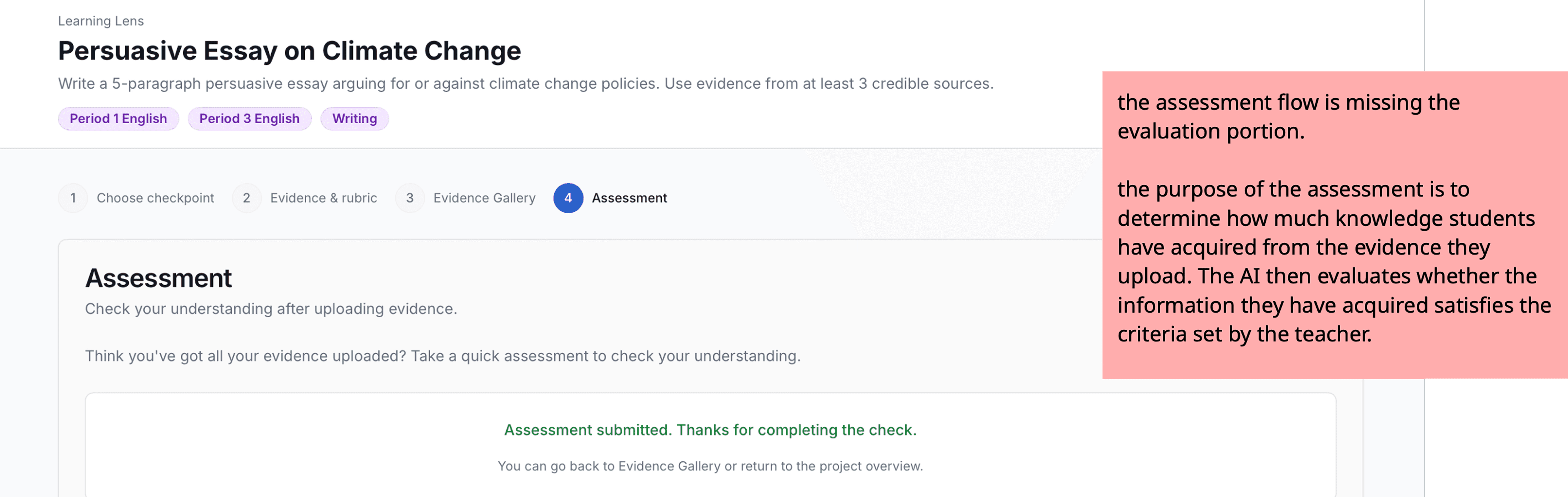
Not controlling the UI was the biggest constraint on this project.
The engineers didn't follow the mid-fi closely, so I ran multiple feedback rounds and drew a hard line on what had to be there for the demo to work.
The project ended.
I learned a lot in the process.
Reflection
Three weeks forced some tough calls. Here is what I'd do differently.
We validated with the team, not the users.
Given more time, talking to current teachers would be the first thing I'd change.
The scope was right, but it wasn't communicated clearly enough to the judges.
The judges suggested showcasing the teacher planning experience would have strengthened our presentation. Our scoping was intentional: teachers come in with their lessons planned, and our job was to solve what happens after. But we didn't communicate that assumption clearly enough to the panel. Next time I'd make that assumption explicit upfront, instead of leaving it for the judges to fill in.
Turns out, knowing how to make a decision and knowing how to explain it are two very different skills.
Most of the hard calls on this project weren't in Figma. I'd make most of them the same way again.